Over Half Next Generation Muni Shelter Displays Installed with More Upgrades Coming
By Kharima Mohamed
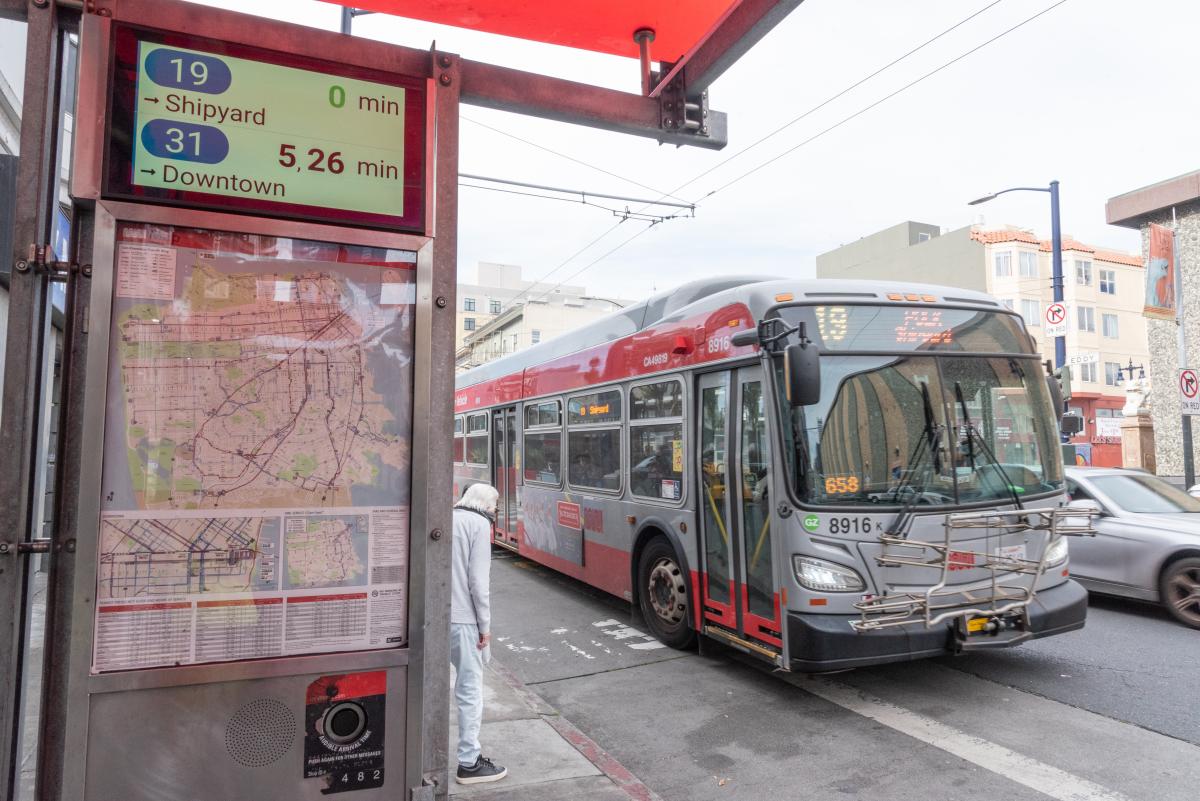 New Muni service information displays are going into Muni shelters throughout San Francisco with updated features as part of SFMTA’s Next Generation Customer Information System upgrades.
As part of our Next Generation Customer Information System (CIS) project, we are installing over 800 new, larger Liquid Crystal Displays (LCDs) at Muni shelters and stations, replacing existing NextBus signs and expanding real-time information coverage. So far, we are over halfway to completion, with over 435 new displays installed in shelters. New screens show real-time multilingual information including graphics, maps and destinations.
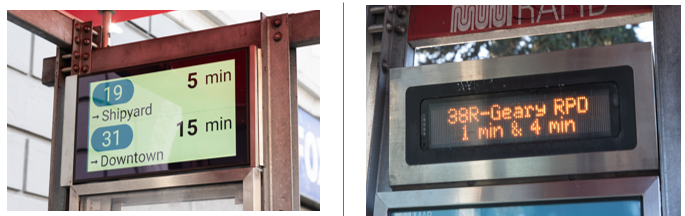
New LCD displays (left) are replacing the previous Muni information displays (right).
Beginning this fall, Muni predictions on our new and improved Next Generation screens will include:
- Crowding. On vehicles equipped with automatic passenger counters, displays will show how crowded they are.
- Short-term route changes. We’ll be able to show planned short-term route changes, such as routing around special events.
We are aiming to replace the remaining displays by the end of 2023. Additionally, we are working on new display locations with an emphasis on underserved neighborhoods, such as those identified by the Bayview Community Based Transportation Plan.
Learn more about the remaining display installation work, what’s next for our Next Generation upgrades and the many new features rolling out soon.
Get Real-Time Stop Information When Predictions Are Unavailable
Due to the nationwide AT&T 3G shutdown on June 8, NextMuni displays that use 3G modems no longer show information. We have been upgrading to 4G modems to continue to provide predictions while we roll out the new LCD display and prepare more significant system software upgrades.
For display locations remain impacted by the 3G shutdown, riders can obtain real-time stop information by using the stop ID number posted at the bus stop:
- Online enter SFMTA.com/ followed by the stop ID number (no spaces). The stop at Market and 11th streets with stop ID 13245 can be found at SFMTA.com/13245
- Text “NextMuni” and the stop ID number to 41411. For the stop at Market and 11th with stop ID 13245, send the text “NextMuni 13245” to 41411.
- Call 511 and say “Departure Times” and the stop ID. For the stop at Market and 11th with stop ID 13245, say “Departure times 13245.”
Published November 02, 2022 at 10:51PM
https://ift.tt/hKdFilD


Comentarios
Publicar un comentario